Prototyping
•
Design System
•
Documentation
How I transformed tables that were previously used without components into a high-performance component.
Team
UX Design team and I
Role
UI/UX Designer
Tools
Figma
What were the problems?
We previously used a random approach to building tables with an outdated collection of items using auto-layout, but we lacked standardization since there was no table component available in the design system.
Slow table-building process
Inconsistency across pages
Inability to update
designing the components
Components were created using atomic design principles to ensure a comprehensive function, building a well-designed layout from the smallest table atoms. I referenced the NN Group article for guidance and based my work on the Vuetify documentation, which the developers use to create the components.
th component
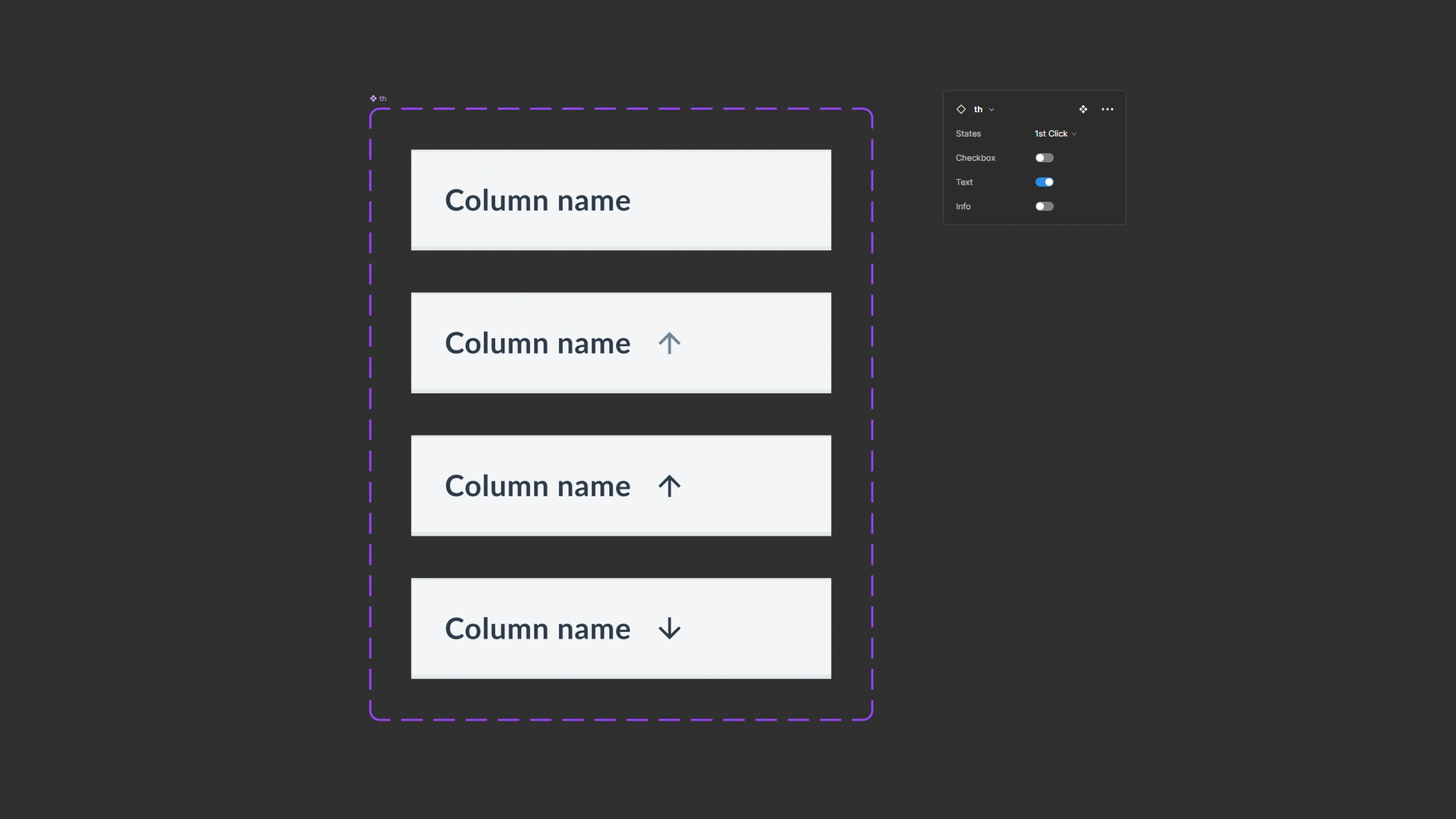
Th component configuration and variants.
Td component
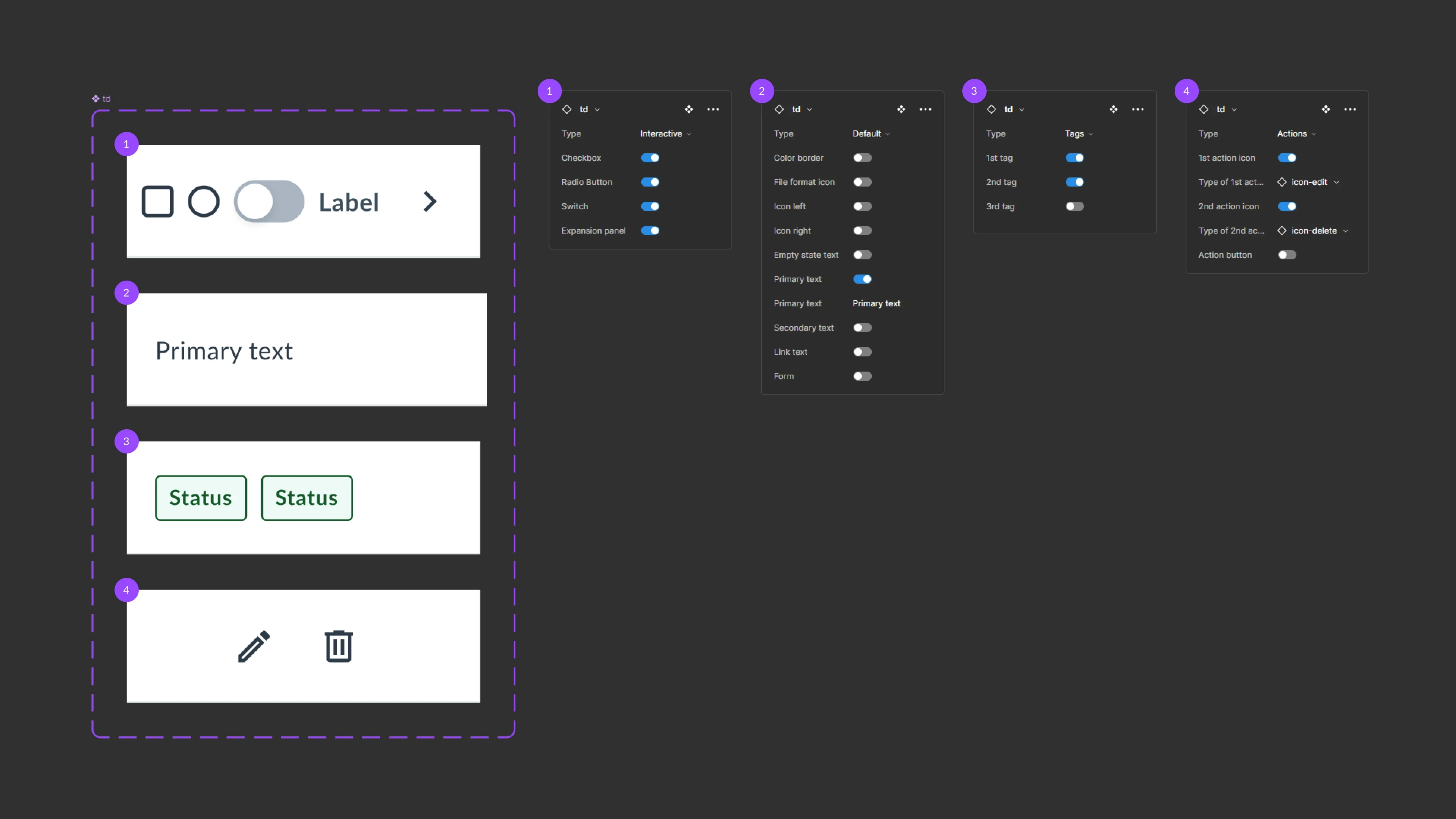
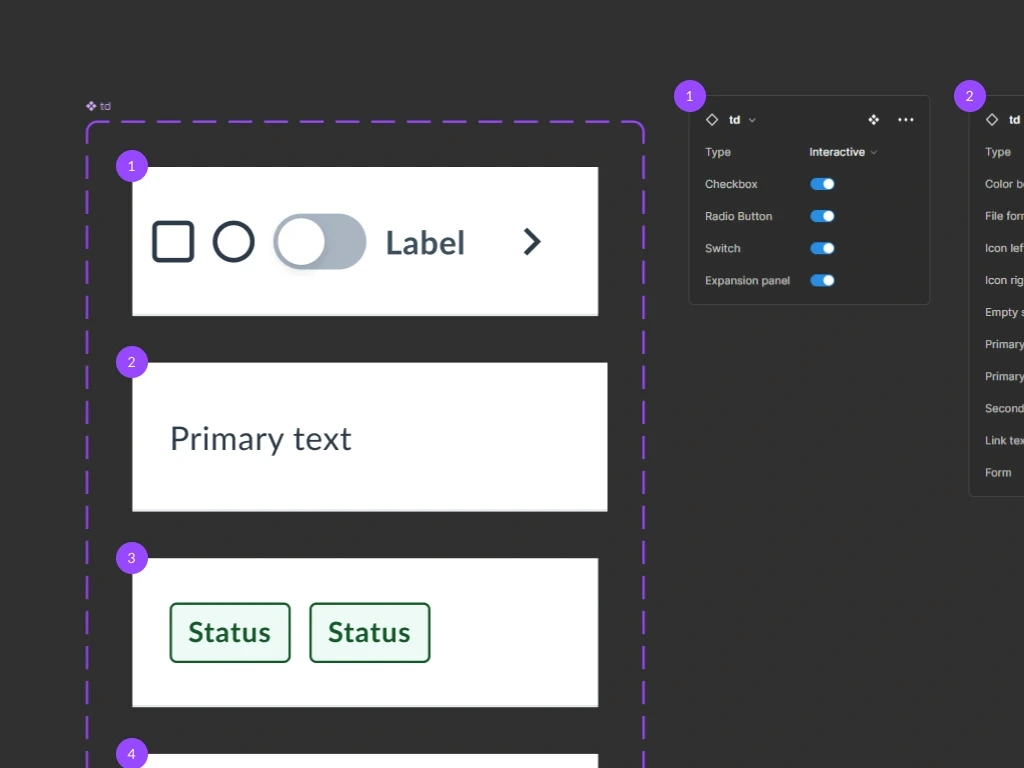
Td component configuration and variants.
How to apply?
Several usage examples were created to make it easier for the design team to use the component. Here are two examples.
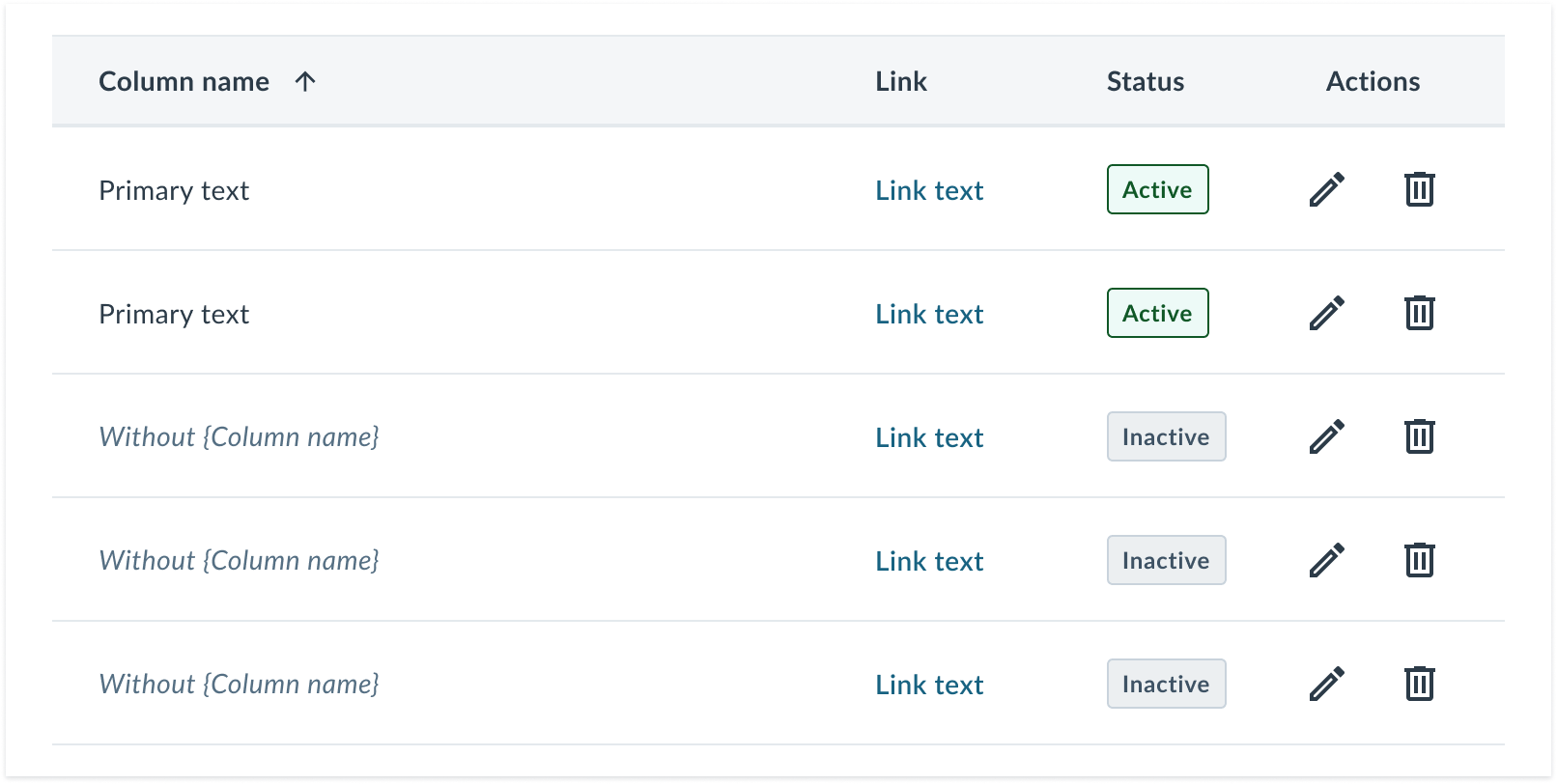
Example of using a table with full width and some typical columns.
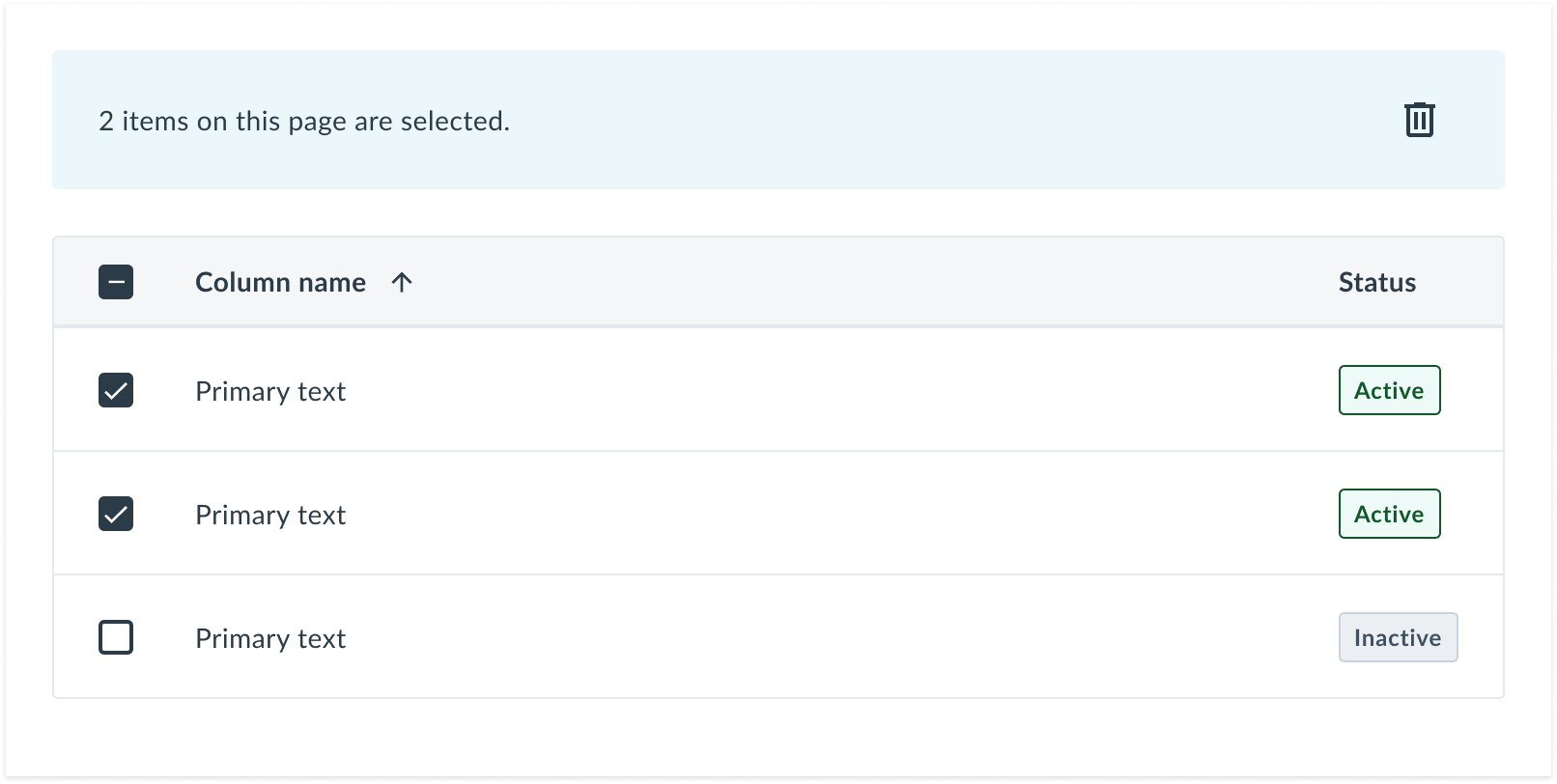
Example of using a table where multiple items can be selected using checkboxes.
Results
The standard table component (td) was inserted 2,664 times into team layouts in the last 30 days, becoming the most used component in the Design System.
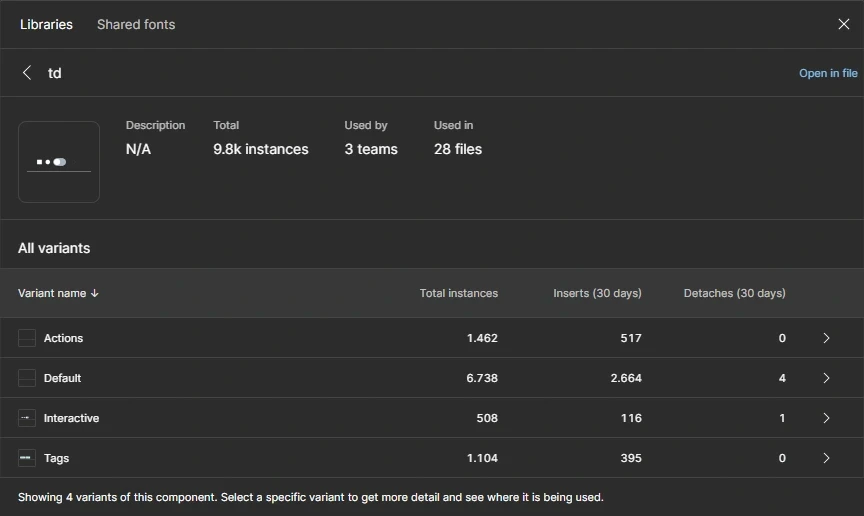
Figma library analytics: metrics of table component usage in the last 30 days.
Now a component
Practical and fast to use
Atomic design principles
Thank you for your time
View other cases